RECURRING TASKS & REMINDERS
Weekly meetings.
Planned once.
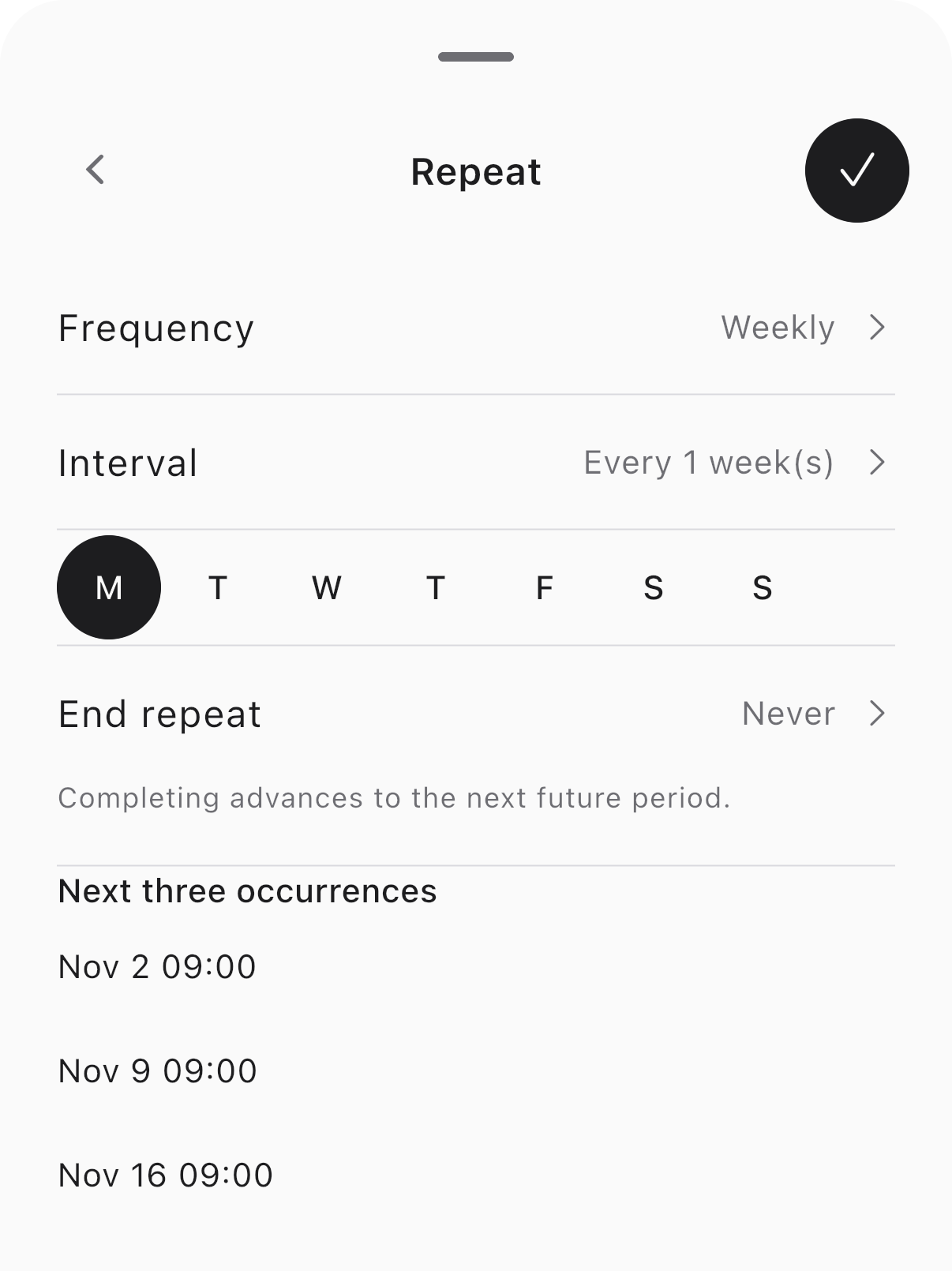
Repeat tasks daily, weekly, monthly or yearly, with reminders when you need them. Update the same task when plans change and make routine work easier to keep up with.
VOICE-FIRST · AI SCHEDULE ASSISTANT
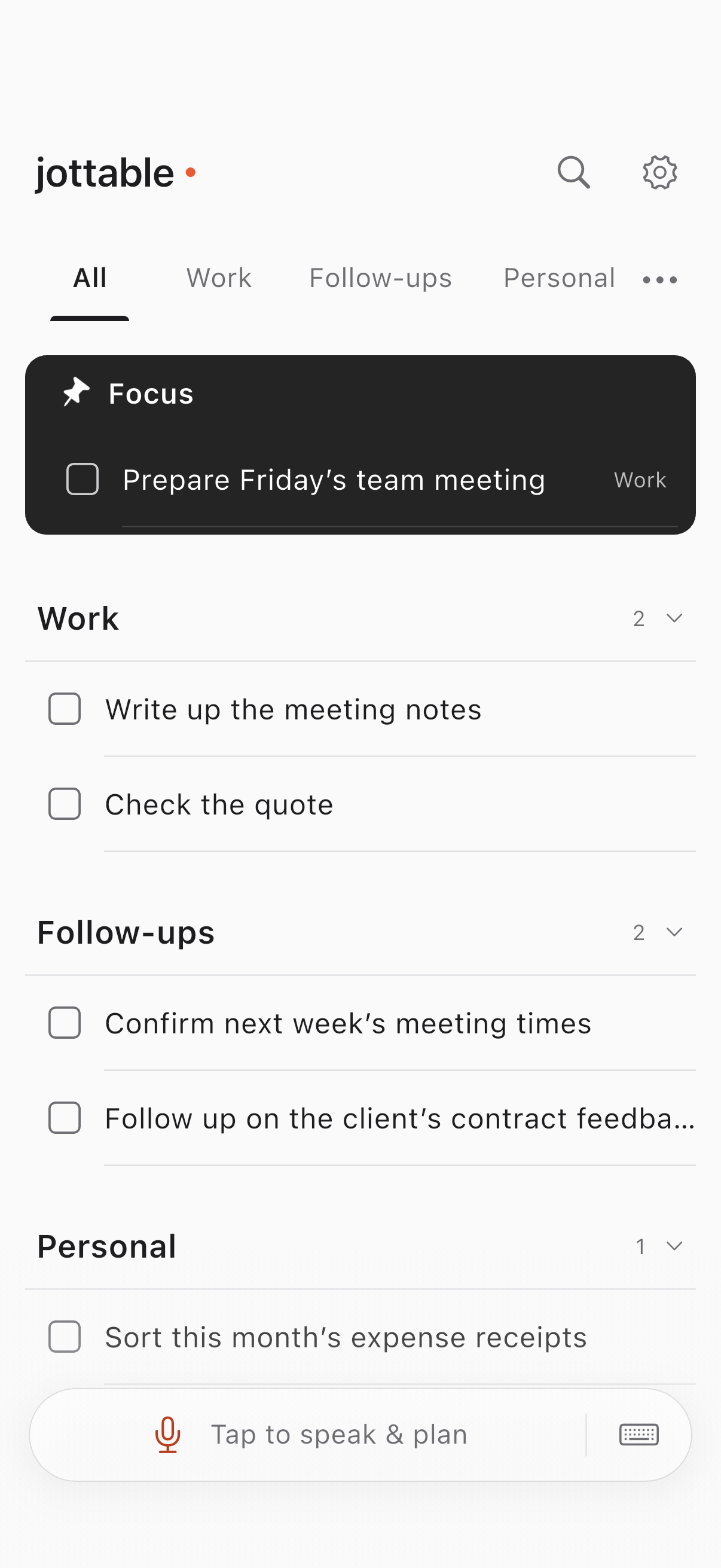
Quotes to send. Meetings to prepare. Clients to follow up with. Tell jottable what needs doing, and turn it into clear tasks, times and reminders.
iPhone · iPad · Android phones & tablets

Send Alex the quote
next Tuesday at ten.
Speak or type your plans
Update plans as things change
Manual tasks work offline
FROM A THOUGHT TO A PLAN
You don’t have to fill out a form for every thought. Say a few plans together and let jottable help sort them out. When things change, update the task you already have.
Speak naturally, or type it out.
Use relevant task context to clarify what and when.
Reschedule, add details or ask what still needs doing.
SEE IT IN PRACTICE
“Send the quote next Tuesday at ten, meet the team on Friday at three, and plan this week’s work every Monday at nine.”
Three work plans, each with its own time.
“Move the quote to next Wednesday at three and remind me half an hour before.”
The original task and its reminder change together.
“What work tasks are still unfinished?”
A read-only answer, without changing your tasks.
Illustrative interaction, not live AI. Results depend on your input and selected service.
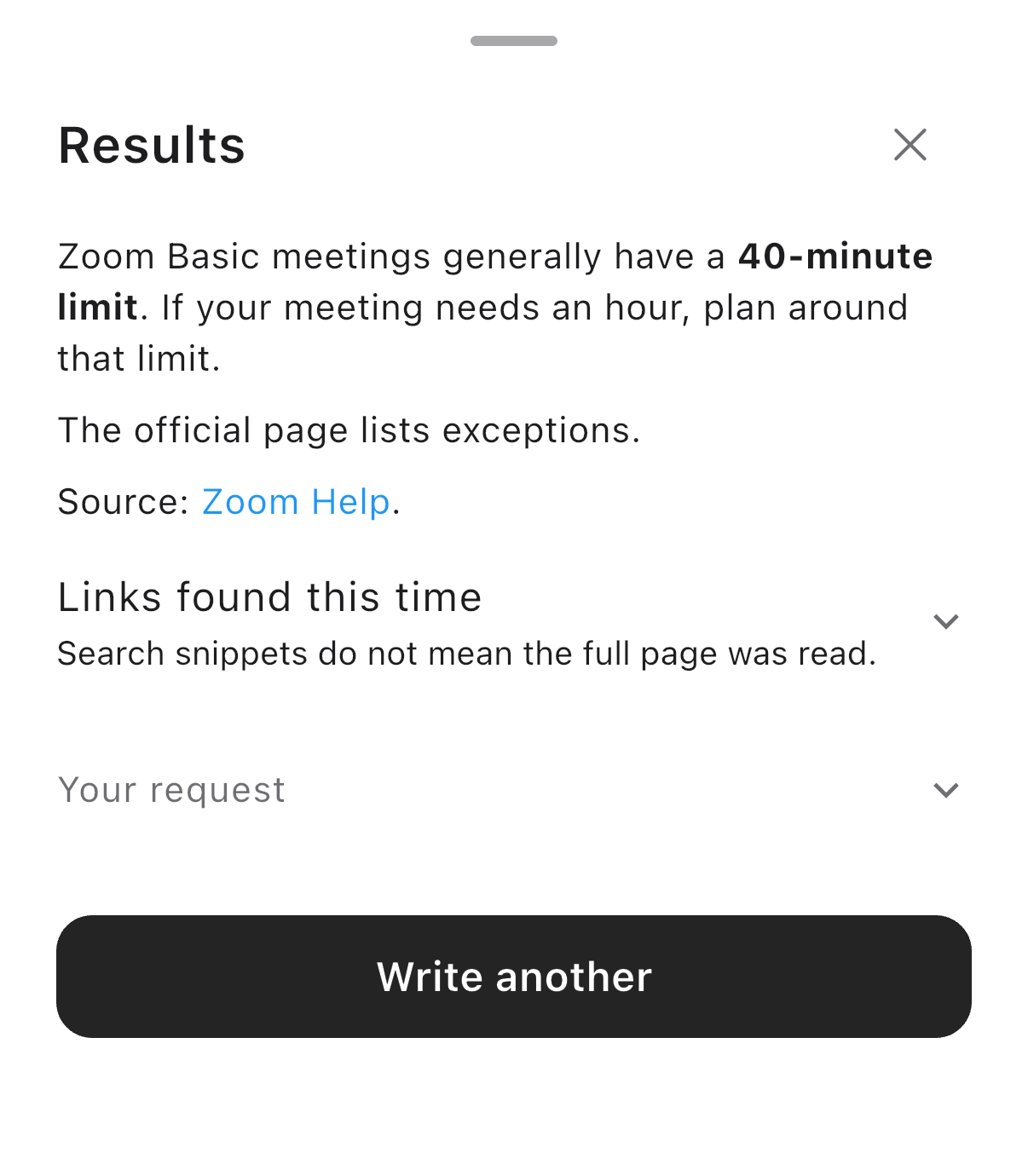
“How long can a free Zoom meeting last? Check the official guidance.”
CONTEXT WHEN IT COUNTS
Checking the free meeting limit before a call? Ask AI to find the public guidance, with links you can check. Less switching around, more context for your next step.
Search public information and read relevant pages.
Follow links in the answer to check the details.
Look up a detail, ask about tasks or update a plan from the same entry point.
RECURRING TASKS & REMINDERS
Repeat tasks daily, weekly, monthly or yearly, with reminders when you need them. Update the same task when plans change and make routine work easier to keep up with.
MORE NOTES, ONE CLEARER LIST
Bring in meeting notes, client follow-ups and handover documents together. Let AI extract tasks, preview them by category, then decide what joins your list.
Supports Markdown, TXT, CSV and ZIPs containing these files.
YOUR WORK, YOUR CHOICES
Create, edit, organise, search, review history and back up tasks on your device. AI and web tools need a connection. Your manual list doesn’t have to wait.
See how your data is handledUse the service when available, without supplying provider keys.
Choose your provider and model. Keys stay in secure storage on this device.
Jottable AI opens with applicable public releases. The current internal beta supports your own service.
jottable centres on personal tasks. Each can have a date, time, recurrence, reminders, notes and a checklist. This version doesn’t provide a standalone day/week calendar, team sharing or external actions such as sending email or making payments.
No. Speak, type or add and edit tasks manually. You can also open an existing task and change it directly.
Manual tasks, categories, search, history and backups run on your device. Remote AI and web searches need a connection. Scheduled device reminders are delivered by the operating system, subject to its permissions and limits.
Depending on the feature you request, AI handles audio, submitted text, relevant task context or selected import materials. Your own service connects directly to your provider; Jottable AI, when available, uses the hosted service. Recipients and purposes are explained before use. See the Privacy Policy for details.
The app covers iPhone, iPad, Android phones and tablets, and macOS, with English and Simplified Chinese interfaces. This page offers three mobile installation channels: App Store, Google Play and APK. Availability depends on each channel.
The three public download addresses are not open yet, so their buttons say “Coming soon”. For questions, email contactus@caractiv.com.

Make the plan clear. Keep your attention on the work.
iPhone · iPad · Android phones & tablets